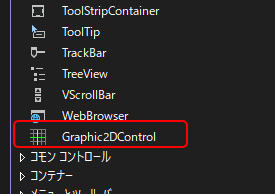
ツールボックスに追加した「グラフィック2Dコントロール」をフォーム画面に配置します。
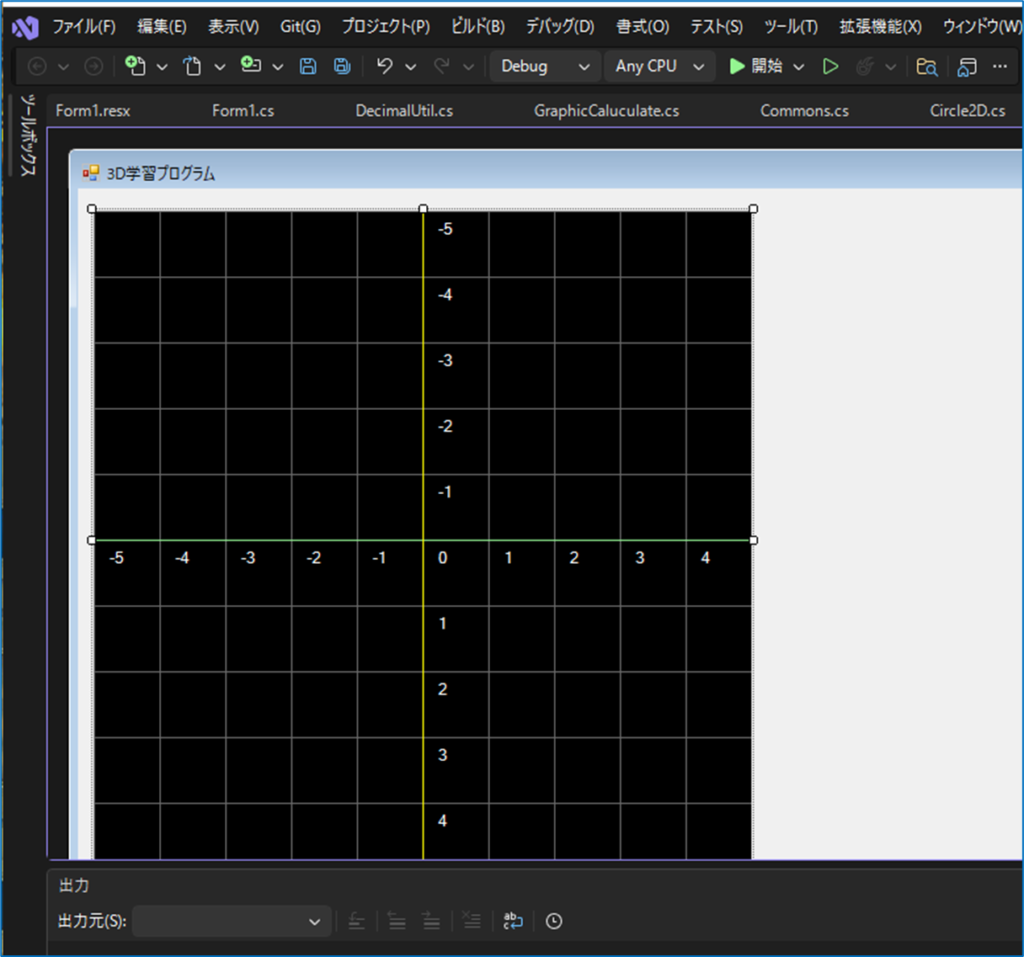
ホーム画面に、ボタンを追加して、ボタンクリックイベントに以下のソースを張り付けます
            // Point
            Point2D point = new Point2D();
            point.X = -1;
            point.Y = -1;
            this.graphic2DControl1.Points.Add(point);

            // Circle
            Circle2D circle = new Circle2D();
            circle.X = 3;
            circle.Y = 3;
            circle.R = 1.0f;
            circle.IsFilled = false;
            circle.Color = Color.Red;
            this.graphic2DControl1.Circles.Add(circle);

            // Polygon
            Polygon2D polygon2D = new Polygon2D();
            polygon2D.IsFilled = true;
            polygon2D.Color = Color.Green;
            polygon2D.Points.Add(new PointF(-2, 2));
            polygon2D.Points.Add(new PointF(-1, 4));
            polygon2D.Points.Add(new PointF(0, 2));
            this.graphic2DControl1.Polygons.Add(polygon2D);

            // Arrow
            Arrow2D arrow = new Arrow2D();
            arrow.Start = new Point(0, 0);
            arrow.End = new Point(3, 3);
            arrow.Color = Color.Yellow;
            this.graphic2DControl1.Arrows.Add(arrow);

            // Text : Welcome
            Text2D text = new Text2D();
            text.X = -3;
            text.Y = -3;
            text.FontSize = 16.0f;
            text.Text = "ようこそ、3D数学";
            text.Angle = 30.0f;
            this.graphic2DControl1.Texts.Add(text);

            // Text : Angle
            Text2D text2 = new Text2D();
            text2.X = 0.4f;
            text2.Y = 0.4f;
            text2.FontSize = 11.0f;
            text2.Text = "45°";
            text2.Color = Color.Cyan;
            this.graphic2DControl1.Texts.Add(text2);

            // Text : cosθ
            Text2D text3 = new Text2D();
            text3.X = 1.5f;
            text3.Y = 1.0f;
            text3.FontSize = 16.0f;
            text3.Text = "cosθ";
            this.graphic2DControl1.Texts.Add(text3);

            // Arc
            Arc2D arc = new Arc2D();
            arc.X = 0;
            arc.Y = 0;
            arc.R = 1.0f;
            arc.StartAngle = 0f;
            arc.EndAngle = 45.0f;
            arc.IsFilled = false;
            arc.Color = Color.Cyan;
            this.graphic2DControl1.Arcs.Add(arc);

            // Graph
            Graph2D graph = new Graph2D();
            graph.Susiki = "cos(x)";
            graph.StartX = -5.0f;
            graph.EndX = 5.0f;
            graph.Color = Color.White;
            graph.CalculateInterval = 0.05f;
            graph.CalculateGraphPoints();
            this.graphic2DControl1.Graphs.Add(graph);

            // Redraw
            this.graphic2DControl1.Invalidate();
フォームを起動しボタンを押してみましょう。
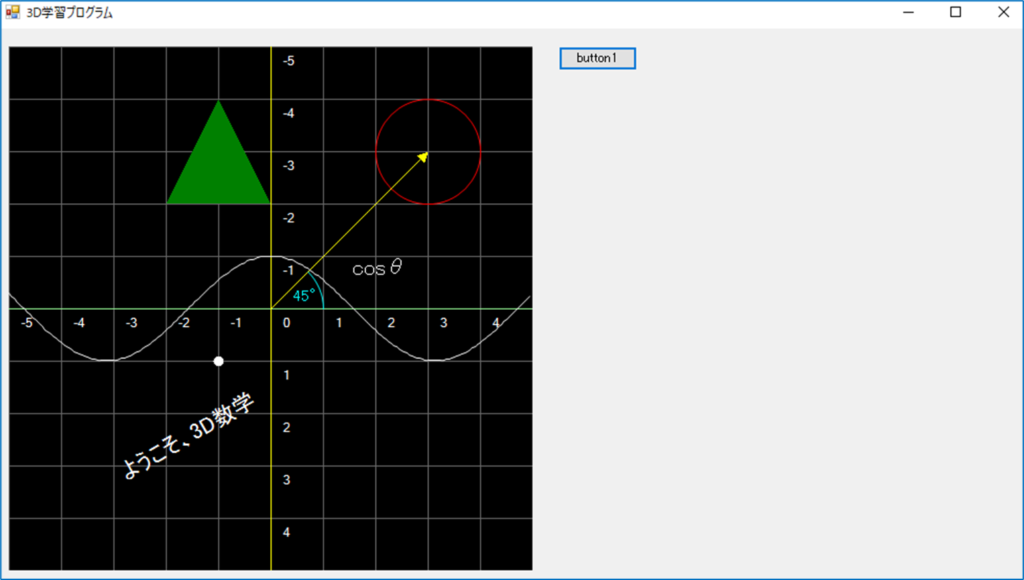
これで、動作確認は完了です。